

 AdminPraise3 is the third iteration of the Joomla admin template concept by PixelPraise. This version takes another step forward in improving the administration of Joomla.
AdminPraise3 tries to improve how you work with the administrator. Kyle Ledbetter of PixelPraise has initiated collaboration with several Joomla component developers to create specific modules for the AdminPraise template.
This means you can have customized modules showing information from your favorite components on the dashboard or in other places in the admin.
Kyle explains his idea this way:
The default Joomla admin template has little or no integration with extensions beyond the mile-long component drop-down menu. AdminPraise3 will be "component-aware" and change the interface to feature installed components, since these components change the way you use Joomla.
This level of integration will require reaching out to extension devs and working with them to improve the Joomla user experience. In this respect, AdminPraise3 will be much more than a simple admin template; it will be a movement to improve the usability of the Joomla CMS.
AdminPraise3 looks quite different from the default Joomla administrator template (Khepri). It installs as a normal template, and has a number of settings (colors, what elements to show, and more).

Possible disadvantages of third-party admin templates
I've been reluctant to use admin templates myself for client projects. Of course, they're nice to look at and have some design improvements over the default Joomla template. Nevertheless, if the improvements are simply visual, or moves elements around too much without adding real value to the work-flow, I see some disadvantages of using such a template.
Users already familiar with Joomla can be confused if you introduce a new template. Buttons and functions are placed (and sometimes named) differently. And, unless you use the same admin template for several client projects, you will have much more work to do when writing documentation. There will also be harder for users to take advantage of the various tutorials available on the web, as the design of the admin will be different.
So, for me, an alternative administrator template needs to be a whole lot better than the default one. If not, there's no use installing it. AdminPraise3 is the first admin template I've seen that I'd actually want to use. And after using it for some days, I really see the advantages. There are things that could be improved, but all in all it's a well thought-out product.
Improved work-flow in AdminPraise3
AdminPraise3 seems to present enough improvements to the work-flow of Joomla for me to install and use it. Particularly with the mentioned component integration, how you work with third-party component will be improved. AdminPraise3 includes a number of changes that will help you work faster with Joomla.
For instance, buttons with 'New article', 'New category' etc are available throughout the interface.
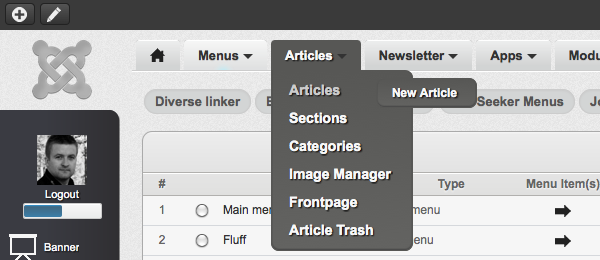
There is also a quick menu in the upper left corner, which will save you some time as you can perform actions regardless of where you are in the admin.
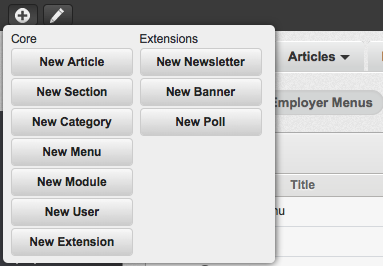
If you would like to change the WYSIWYG editor as you work on something, you can do it with the editor menu located beside the quick menu button.
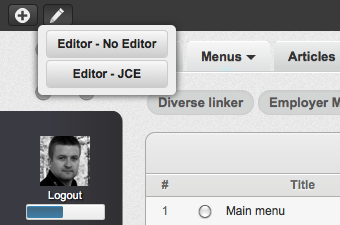
The installer menu has also been improved. There are links to the uninstaller for the different types of installed extensions, languages and templates. The managers for modules and plugins have been moved to other, more logical places in the admin.
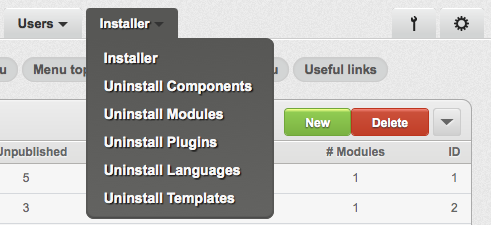
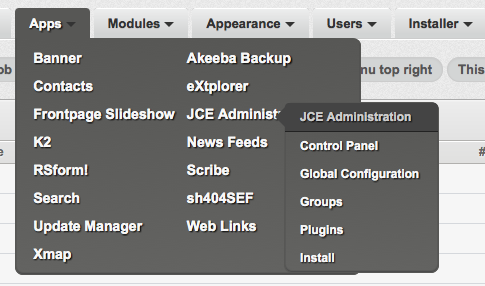
The components menu wraps into multiple columns. This is nice, as the original components menu could get very long.
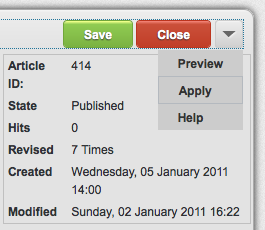
The edit article view is one example of how the buttons are changed in the AdminPraise3 interface. Note that the 'Apply' button is in the drop-down. I'd rather have it directly available, though. It would be better if the drop-down appeared on mouse over. In the current version, you have to click the arrow to get the 'Apply' button, which means an extra click:
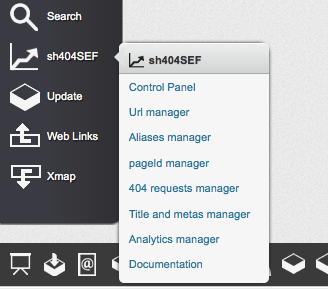
On the right hand side of the admin interface, there is a column showing buttons for installed components. These buttons have contextual menus (if the component supports it):
A nice touch is the messages shown when saving an article or similar. In the default admin template, you get a message which stays in the page. In AdminPraise3, the message is displayed as a lightbox, which fades out after a few seconds:

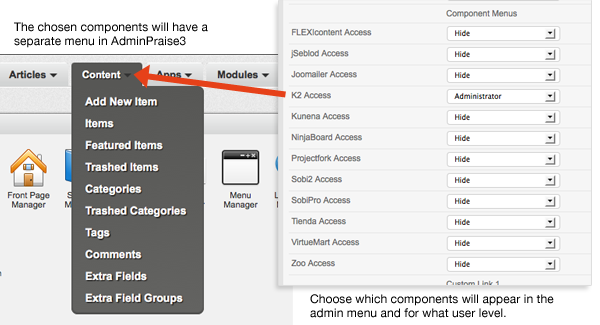
Choose which components appear in the main admin menu
A really nice feature is that you can choose to show specific menus for installed components. AdminPraise3 already has support for several popular components (see below). You can choose to show or hide the menus, and decide what user level will see them:
Some things I would like to be different in AdminPraise3
As I said, I like Adminpraise3 a lot. Still, there are some things that can be improved:
- In article editing, the date fields are too narrow, making it hard to see the time of day the article will be published
- In article lists, the access level icon is non-intuitive. It's very hard to see what the current access level is. And there is no tooltip.
- As mentioned, I would like 'Apply' to be a button in the 'edit article' and other views. I use the 'apply' function a lot and don't like that it's hidden in a submenu.
These are simple things, but as you know, God is in the details :)
First component to integrate with AdminPraise3 is JooMailer
Joomailer is a component from freakedout that fully integrates the newsletter service Mailchimp with Joomla. Kyle's been working with Alexis and the freakedout team on AdminPraise3 development. Alexis and his team were inspired by the mockups of AP3 and created an admin module to place on the dashboard.
Alexis told me about his view on the AdminPraise3 concept:
I love the concept, and have been a fan of AdminPraise ever since the first version. I think it adds a lot of value when you do client projects. It gives the administrator a modern well thought-out interface.
We believe in time-saving, and adding vital functionality from your extension to the joomla dashboard fits right in there.
It's tons of fun working with Kyle on projects. He's always open for new ideas that make sense.
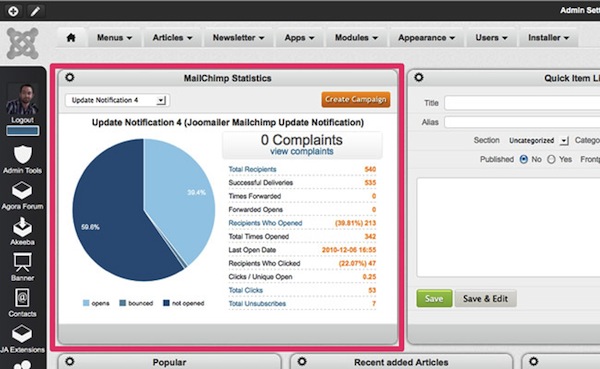
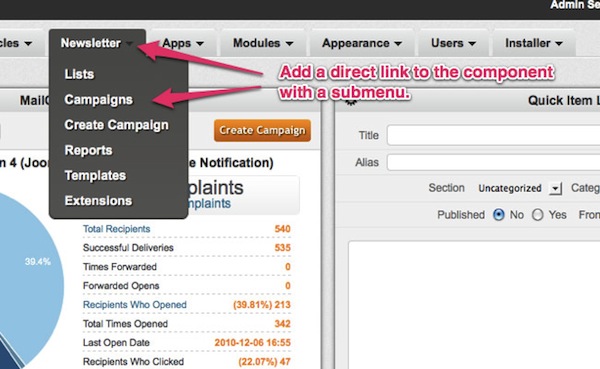
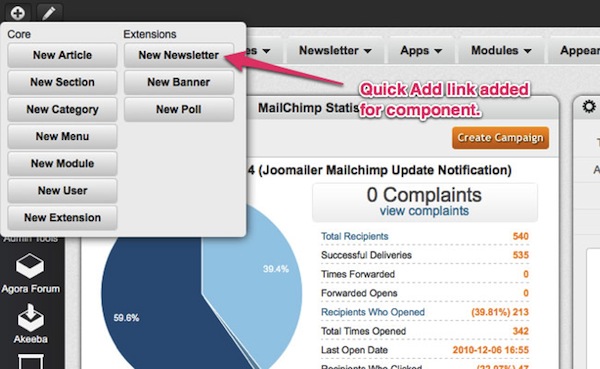
PixelPraise added Main Menu and Quick Add links to make for a more seamless user experience, and truly make this newsletter component feel like it was part of the Joomla CMS, not simply an add-on:
AdminPraise3 laying the foundation for future Joomla administrator improvements?
As you might know, Kyle Ledbetter is heavily involved in the redesign of Joomla.org. He's also an integral part of the Joomla UX (user experience group) over at people.joomla.org. I'm seeing his involvement in the Joomla project and the things he's doing commercially coming together to benefit the project as a whole.
There has been talk of Joomla 1.7 being the version where the administrator will be overhauled. I guess the Joomla project will benefit greatly from the experience Kyle and others have gotten during the last couple of years. One thing is certain: The Joomla administrator needs to be reworked. Not just redesigned, but reworked to improve the work-flow of Joomla and make it more intuitive.
The collaboration we see from this project is a really positive one. It brings developers together to improve on the overall experience of Joomla. And those who benefit are you and me - the end-users and integrators of Joomla.
Buy AdminPraise3
Disclaimer: The above link is an affiliate link - if you buy this or other products after clicking the link, I get a commision. This does not influence my opinion on the product - I will never say anything positive about a product I don't like or don't use myself. If you don't want me to have a commission on this product - you can always use this link instead ;)