

 A while ago, Anthony Olsen over at Joomla Bamboo wrote a blog post about the software he uses daily to manage his business and get things done. This post is my view on the same subject.
However, I want to focus on the cloud software I use. That is, the online software I use daily. During the last couple of years I have put more and more of my information into online services. It frees me from a particular physical workspace. Thus, I can leave my computer at home and be able to do most of my work on any computer with internet access.
This approach has several benefits as I see it. Backup is taken care of, you’re not locked to a particular computer and software updates are done in the background. Web based services are also platform independent, so I can access the same information from any computer with a browser. It's also a great advantage when people in your team are scattered across the country, or in my case, across the globe.
During the course of a day I use the following online services and software:
Document handling and information storage: Evernote
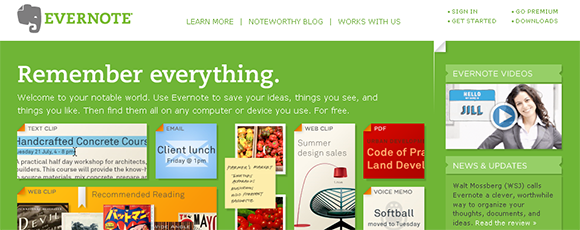
Evernote is just incredible. Paired with my Fujitsu ScanSnap document scanner and an iPhone app it’s a great application for everything you want to save for later. Web clips, PDF files (all documents with a Premium account) and handwritten notes. Everything gets OCR’ed and is searchable!
I invested in the Premium version of Evernote and I’m very happy with it. Having access to every contract, letter, invoice etc etc from my iPhone at any time is invaluable.
Evernote also exists as desktop tools, syncing with the online version. Which means you can work on your documents even when offline. Evernote will then sync with the server as soon as you get online.
Project Management: Basecamp
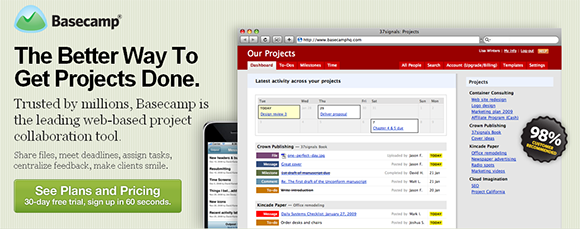
Basecamp from 37Signals is a great project management software. After using it for a while I can’t believe I managed without it. Keeping everything in one place is invaluable. The software keeps track of emails, to-dos, milestones and writeboards (notes), as well as files (documents, pictures, screen shots etc) and makes it available for all participants. I find the messages function especially useful. You can enter a message and notify participants by email. They can then comment on the message directly by email by replying to the notification. Very neat.
I love the fact that I can open projects up to clients without adding extra accounts (and price). I went for the account with Time tracking – that’s saved me a lot of time. Tracking time directly in to-do items is a real time-saver.
Basically, Basecamp is a great piece of online software. It doesn’t have a lot of fancy functions, just the ones I need :)
CRM – Customer Relationship Management: Highrise

For keeping track of customers, leads, deals and anything related to people, my choice is Highrise from 37 Signals. I used Salesforce previously, but I found it too big, too slow and not sexy at all ;)
Highrise does exactly what I need in a very nice interface. Keep track of contacts and leads, deals and todos in one place. Love the email to Highrise functions. I can forward emails to a special dropbox email address to add new contacts or add emails to the history of a contact. I can do the same to add tasks, even assign them to be done today, tomorrow, later etc.
I’ve created an online form at my website using Formstack, which captures leads and puts them directly into Highrise, tagged as leads. A task is automatically created telling me to follow up om the contact.
You might want to check out Network Hippo for CRM as well – looks kinda nice.
Screen shots: Freshlog
I use the built-in screen shot functions in Apple Mac OS X. Lately I have also started using the Freshlog screen shot software. Even though it’s not an online service (it installs on your Mac) it integrates nicely with Basecamp which is a huge time-saver when working on client projects.
Word processing and spreadsheets: Google Docs
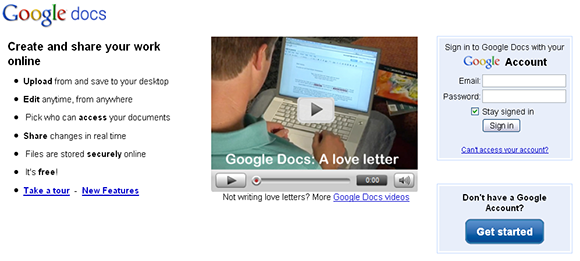
I use Google Docs a lot. As I outsource some of my daily tasks to a company in India (Hi, Anirban!), I find this very convenient. The outsourcer can add info to my documents directly and versions are taken care of smoothly.
Online calendar: Google Calendar
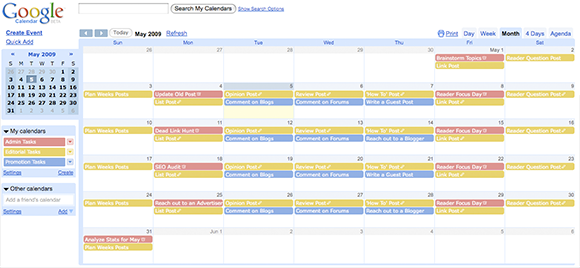
Google Calendar is indispensable for me. I sync the info directly to my iPhone and have set up 8 different calendars to keep track of different parts of my life. Work, workouts, private stuff, kid’s plans etc. Keeping track of everything is not possible using my at all times full, distracted and (sometimes) creative mind.
Being divorced, I also have one calendar for each of my kids, which are shared with my ex-wife. This calendar keeps track of everything planned for them so nothing comes as a surprise when they arrive at my place. This has removed a lot of stress and surprises.
Online communications: Skype and Campfire
Skype

I use Skype for online communications – text, voice and video. The quality of this service is better than any other I have used. Also, it’s widely used both in Norway where I live and around the world.
Another neat function of Skype is the ability to share parts of or your entire screen with the person you're chatting with. I've used this function a lot to look at a client's screen when teaching them how to use Joomla. It saves a lot of time when I can look at the screen and see what the client is actually doing. Also, I don't need to install any other software on either end.
Campfire
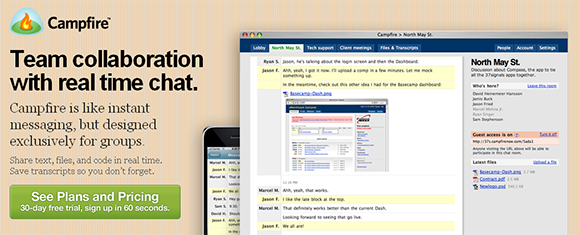
Campfire is a web-based group chat tool that lets you set up password-protected chat rooms in just seconds. Using the software you can Invite a client, colleague, or vendor to chat, collaborate, and make decisions. You can also link to a room on your intranet for internal communications. Campfire is elegant, easy, and web-based. You don’t need to download, install, or configure anything. Just like the other 37Signals applications it is iPhone compatible too.
I can use the same login credentials for all 37Signals products and Campfire integrates with the Basecamp project management software.
I hope this list has given you some ideas. Feel free to share your own experiences with these programs and other online services.